Replacing the Power Mac G4 MDD's Internal Speaker
Originally written July 24th, 2024.
What is the problem with the original? Why replace it?
Nothing that says the original speaker sucks. In fact, it's one of the nicer mono speakers found on Apple desktops, though the Power Macintosh 6400/6500 take the award for the best internal speaker in an Apple tower. The issue with the MDD, and other older macs that use these speakers, is that the foam (or in this case, rubber) starts deteriorating. This was especially a very commonplace issue on the slot-loading iMac G3's and other products around the time using harman/kardon speakers. As of recent, it has also been discovered that newer systems have had these same issues with their speakers (who could've guessed?!) and systems like the iSight iMac G5 and early intel iMacs are already known to have this issue as well. Heck, even my Early 2008 MacBook Pro had it; thankfully I had a replacement pair on hand.
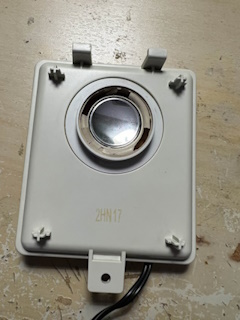
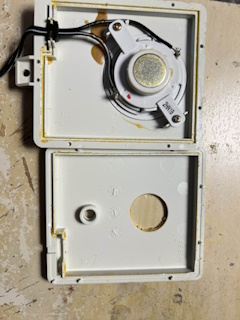
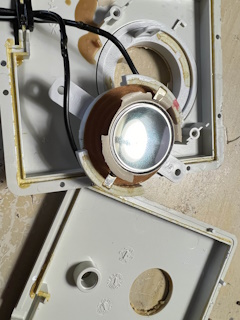
That being said, the Power Mac G4 MDD is also one of these machines. The internal speaker can have deteriorating rubber around the speaker cone, causing the speaker to sound awful. Thankfully, the speaker is very similar to a basic 2-inch speaker you can find almost everywhere. You will just need to make some modifications to the housing to make it fit, and you'll need good eyes to get it centered correctly!
Replacing the speaker
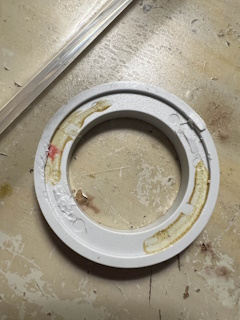
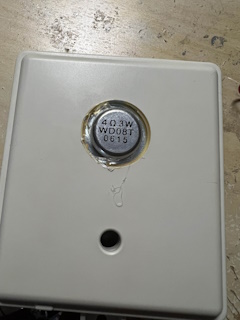
After taking the speaker apart we can see the original was held in with the rubber adhered around the speaker's housing. Most speakers are different, and the surrounding material around the cone is usually held in with a frame. I had to adhere my new speaker to fit behind the ring that held it in. As for the speaker itself, it is a simple 2-inch 4ohm 3watt driver I found inside of an old dancing water speaker that I did not have the mate for.
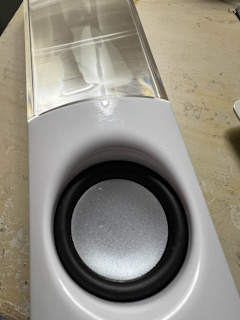
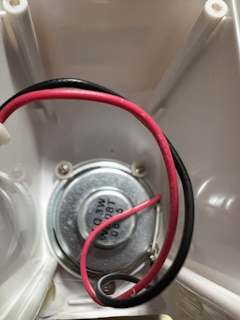
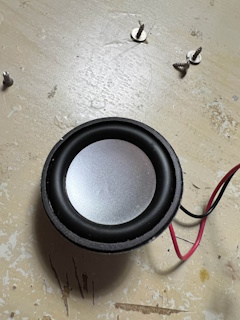
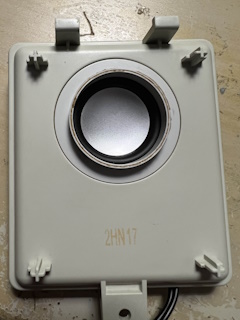
I proceeded to figure out how to mount it to the G4 MDD's speaker enclosure. Since it held in a specialized driver made specifically for the computer (for whatever reason), I had to make a couple of modifications. I had to remove the 2 posts on the ring that held the original speaker's internals, and I centered the new speaker onto the ring. I just used hot glue to hold it down considering you don't need anything stronger to do this; the rear panel of the enclosure also helps keep it in place. I then soldered the respective positive and negative wires to the terminals on the speaker. The positive wire has a line drawn on it, and the negative is completely black. Then you'll need to put the rear panel of the speaker housing back on, making sure you seal up the gaps with something like aforementioned hot glue to keep everything in place.
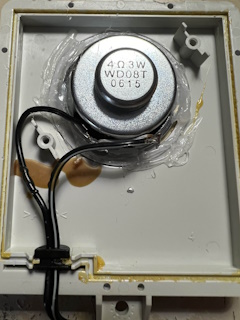
The end result
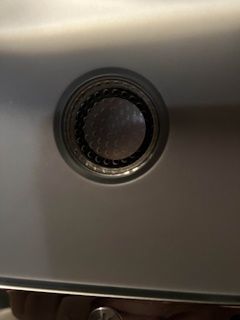
I have to say, this looks clean. It may not look stock, but the black and silver speaker does make this look nice for sure. As for sound quality, it sounds just like the original, maybe less or more. Yes, you could just plug in a pair of external speakers, but I like having my machines with more complete functionality. The speaker is notably more recessed than the original's placement where it was sealed to the enclosure, but it does not make a difference in terms of sound quality. It may be quieter in some cases, but that isn't a huge deal. If I'm honest, I like the look of this speaker more than the original, even with the fact that it is not as close to the front panel.
Please share this with anybody looking to replace their G4 MDD's internal speaker. Replacements using the same speaker can have the same exact problems, and are not being made anymore. This is by far the best way to fix the problem. It may not look stock, but it will actually work.
